View modes: CODE, NOTES, and DOC
Every buffer has three faces. Switch with ⌘1/⌘2/⌘3, or cycle with ⌘E (CODE → NOTES → DOC → CODE).
The dial controls how loudly the editor interprets the file — but the thing to hold in mind is purpose, not just features.
The thesis the dial serves
Kiln is built for directors, not typists — people who read and direct code more than they type it, and who now spend their day reviewing what agents wrote (see positioning.md). Three bets follow from that: reading comes first, intelligence is on-device and always on, and the human's job is judgement, not keystrokes.
The three views are not three unrelated features. They're a single axis — your altitude over the literal bytes — with one verb at each rung:
| View | Altitude | The verb | What you manipulate | Who types |
|---|---|---|---|---|
| CODE | ground | write | characters and lines | you |
| NOTES | reading | read, review | sections, as text | you, rarely |
| DOC | directing | shape, author | sections, as intent | the squad |
Climbing CODE → NOTES → DOC, you type less and direct more, and the on-device intelligence carries more of the load. The dial is the thesis rendered as a control, and you can pin your default view where on that ladder you live — which is the directors-vs-typists spectrum made adjustable.
CODE — edit source as source
A line-numbered TextKit editor with syntax highlighting, find, multi-cursor, bracket pairing, and nothing else. CODE takes no opinion about the file's structure. It's the baseline: the fastest path between you and the text.
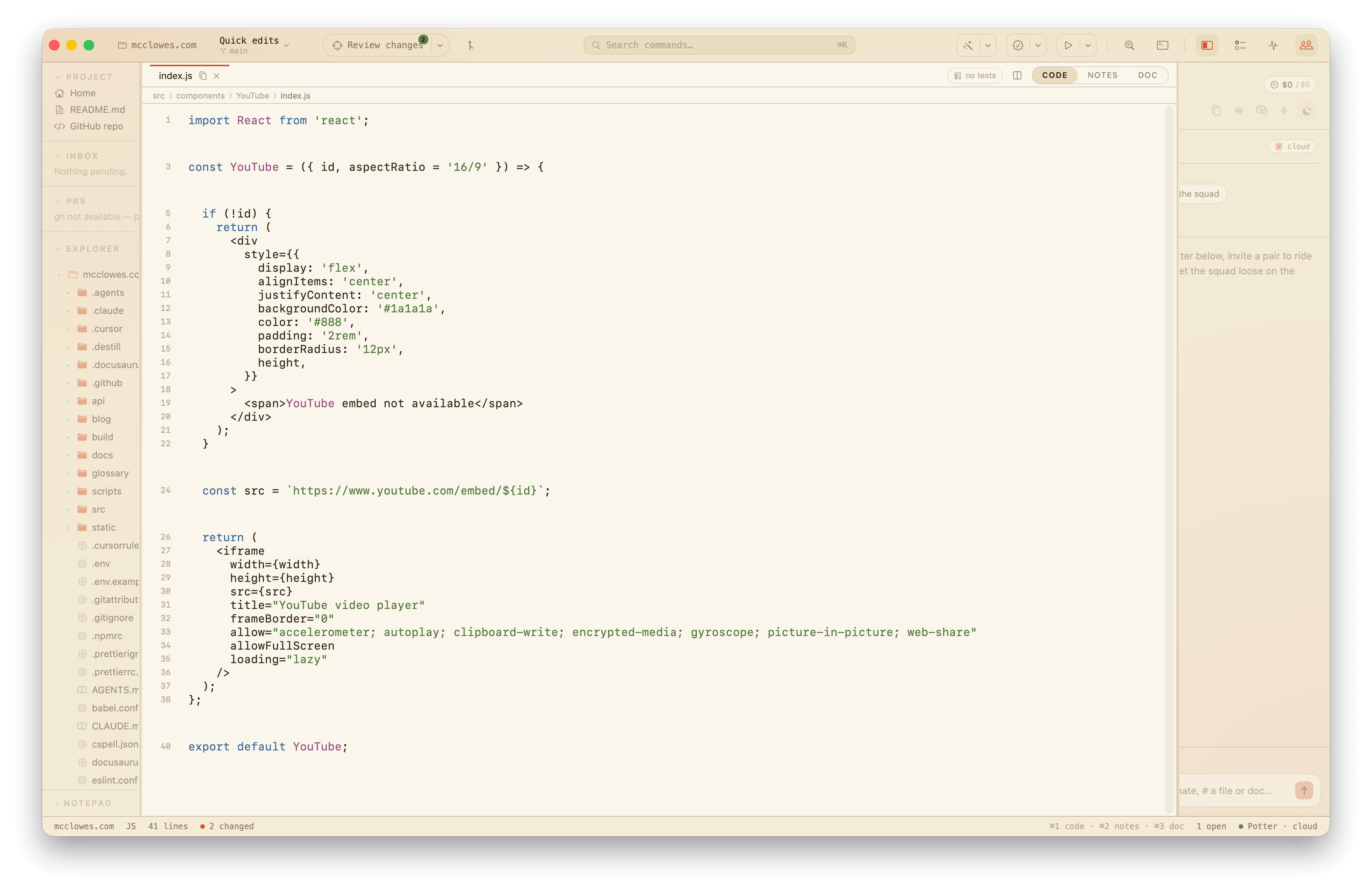
Reach for CODE when you're writing new code, refactoring, or just want the editor out of the way.
Against the thesis: CODE honors the nothing is dumbed down clause. Positioning promises a professional never feels the guardrails — the full file tree, real zsh, real diffs, and real source are always reachable. CODE is that promise inside the editor: the escape hatch down to the literal bytes, opinion-free. It runs deliberately against the grain of a reading-first product, and that's the point. The thesis is a default, not a cage; without CODE, Kiln would be dumbing things down. It's the most-used view today and the least thesis-aligned — a tension worth naming honestly, not hiding.
NOTES — read structured code
The same source, split into sections (blank-line separated; comment-only blocks ride with the code they introduce). Leading comments lift into a serif margin gloss; the rest of the margin carries blame chips, TODO/FIXME/HACK tags, story previews, and inline diagnostics. The gutter stays. The code stays fully editable — sections are verbatim file slices, so edits splice back unchanged.
NOTES is a reading mode. It answers "what does this file contain?" while keeping editing within reach.
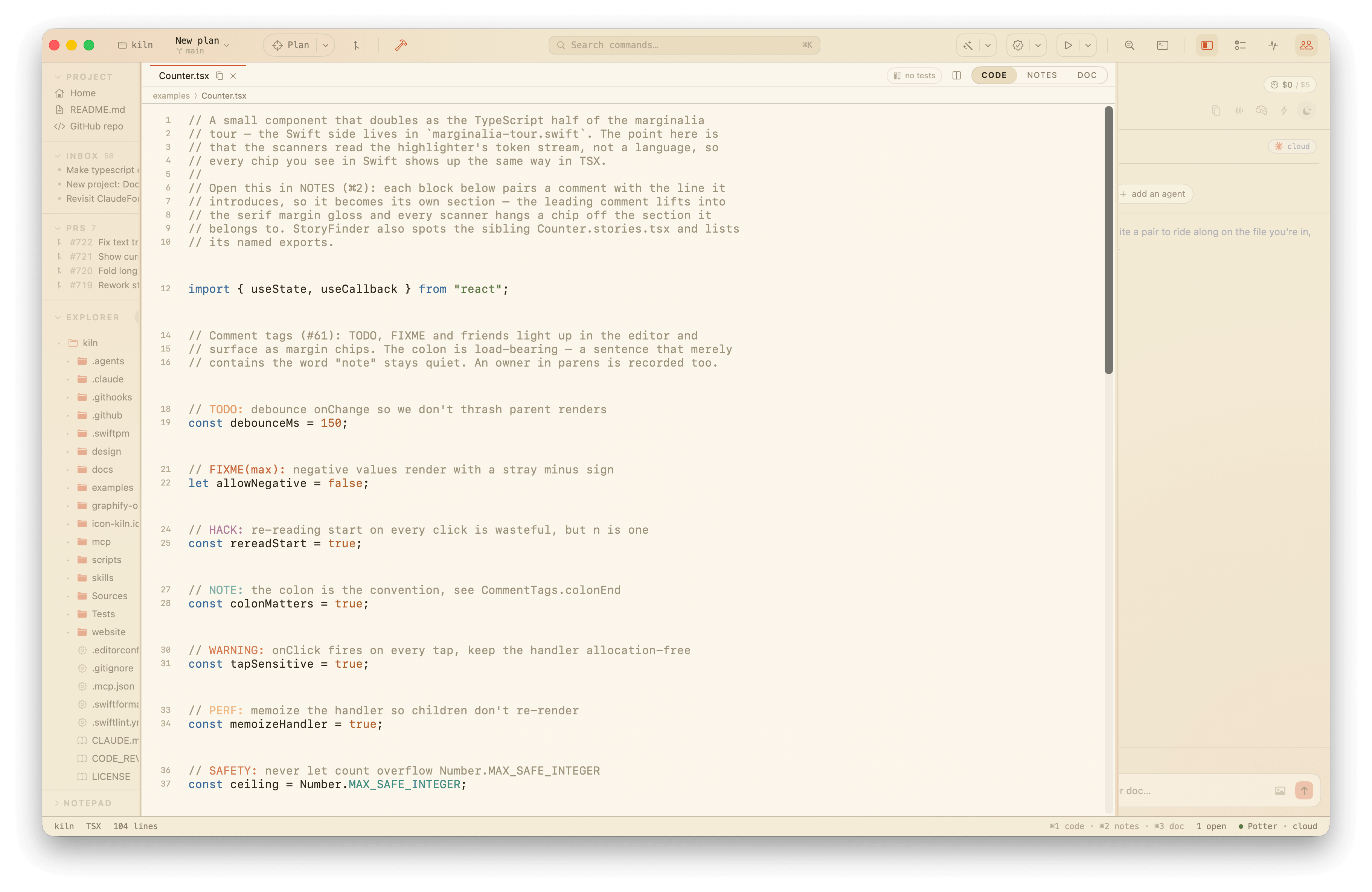
Reach for NOTES when you're reviewing, understanding, or navigating a file you didn't write — or haven't read in a while.
Changed blocks read as diffs. When a section has changed on the current branch, NOTES renders that block as an inline diff in place of the plain code — added lines tinted, removed lines struck through — so the reading view doubles as a quick "what did this branch touch here?" without leaving for the Diff surface. The block is diffed against the same base the local pull request uses (the merge-base of the project's base branch and HEAD), against the live buffer, so unsaved edits show too. Only the blocks that actually changed light up; everything else stays normal editable code. A diffed block is read-only — drop to CODE to edit it — and its gutter shows just the block's starting line number, since interleaved deletions can't align line-for-line. Files outside the repo, or with no base to diff against, simply read as plain code.
Against the thesis: NOTES is reading first made literal, and it's the dial's load-bearing view for the human half of the deal. Positioning says reviewing is the job now and Kiln optimizes the reviewing experience; NOTES is where that lives. It pulls context — gloss, blame, tags, diagnostics — into the margin so you can read code you didn't write, which, for a director reviewing agent output, is most code. This is the everyday surface the thesis points at.
DOC — author through intent
The gutter drops, section titles grow into headings, and each section gains an intent affordance. Say what should be true of that section, and the change weaves in as an in-place diff you approve with one keystroke.
DOC is an authoring mode. Sections become units of intent, not just units of text. The file starts to read as a document; the assistant works at that level.
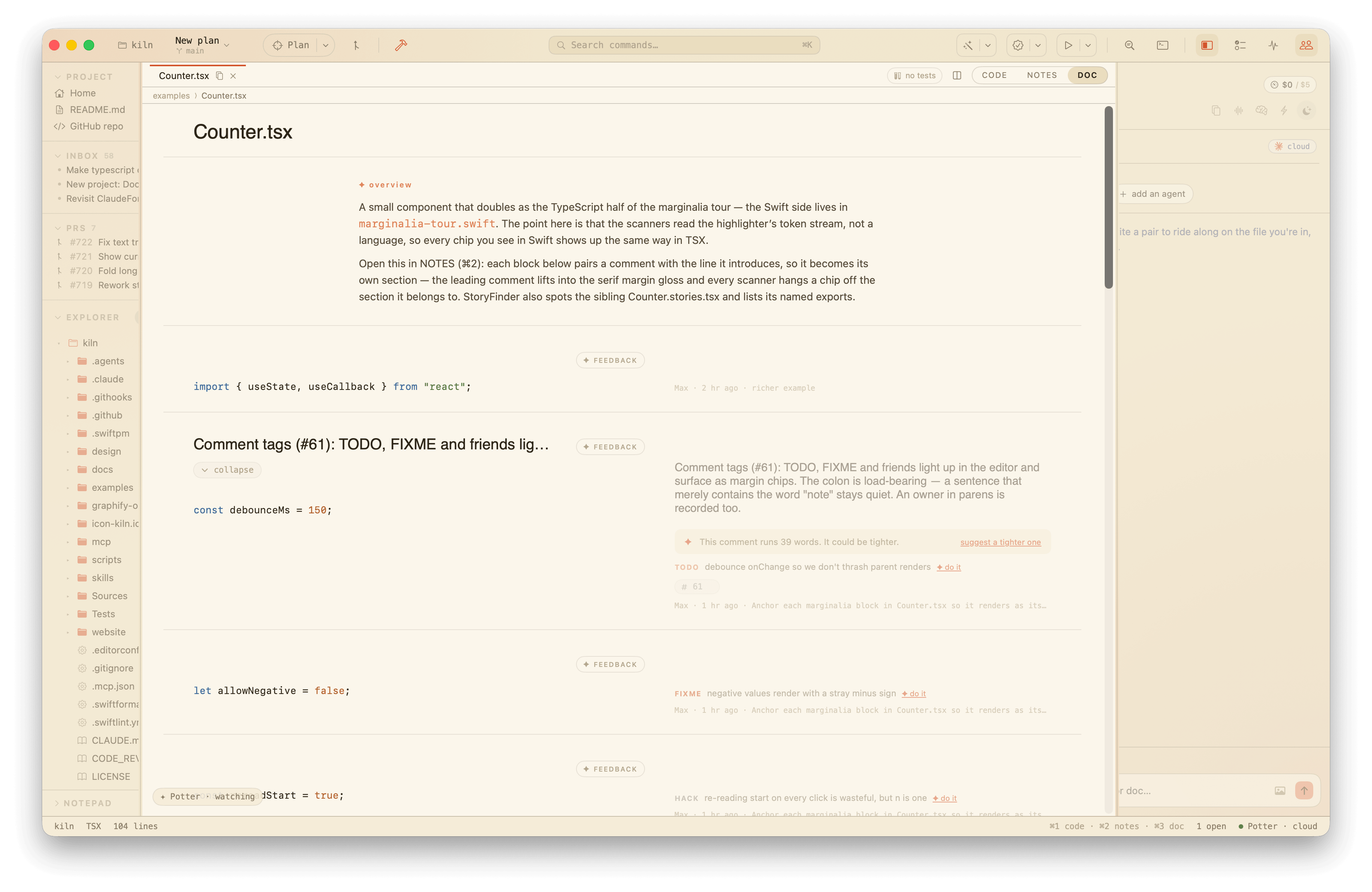
To keep the read clean, DOC doesn't repeat a section's comments in the code column — they live in the margin instead. A section's leading comment is already its gloss; tagged lines (TODO/FIXME/…) read as tag-notes; and any remaining inner comments surface as plain margin notes. The lift is reversible — the code stays editable, and edits splice the comments back before they reach the file, so the comments live on disk untouched. NOTES keeps comments inline so its gutter stays aligned line-for-line.
A // MARK: pragma is a structural divider, not prose, so it's read as the section's heading (stripped of the MARK: - decoration) rather than smeared into the gloss.
When a section has uncommitted changes, the DOC margin shows them: a small changed chip tallies the +/−, and the moved lines render beneath it with their markers (a long edit truncates with a "+k more" line). It's a git diff HEAD for the file mapped onto each section's line range, so you see what you've touched in this block right where you're directing it — the live counterpart to the blame chip's "last touched". It steps aside while a section's intent weave is showing its own proposed diff, and reads against the file on disk, so it refreshes on save. NOTES keeps its margin for reading, so the diff is DOC-only.
Reach for DOC when you're shaping what a file means — refining its structure, writing from pseudocode, or nudging sections toward a stated goal.
Markdown and MDX files open in DOC by default because they're documents from the start: the view renders the document itself (GFM blocks, frontmatter stripped) rather than annotating source. A long doc gets an "On this page" rail — the heading outline down the right margin, each entry a jump link into the prose — shown once the window is wide enough to carry it without crowding the column. A badge row — the line of  / [](…) shields a README opens with — renders as real images rather than bare alt text: a paragraph that is nothing but images draws in a small transparent WebView (badges are usually SVG, which NSImage won't decode), wrapping across the column with each badge linking out to the browser.
.env files get the same treatment — they're configuration documents, not source. DOC reads a dotenv file as a settings sheet: variables group by the file's blank lines, the comments above each one become its description, and export prefixes and inline # comments are understood so the value shown matches what the shell sees. Credential-shaped values are masked by default — anything whose name carries a secret token (*_KEY, *_SECRET, *_TOKEN, *_PASSWORD, …), whose value matches a known key prefix (sk-, ghp_, AKIA, a JWT, …) or buries credentials in a connection URL is hidden behind bullets. Reveal one value with the per-row eye, or the lot with the header toggle; every row has a copy button that copies the real value regardless of mask. Public and publishable keys (STRIPE_PUBLISHABLE_KEY, NEXT_PUBLIC_*) and plain config (PORT, NODE_ENV) stay in the clear. .env.example and templates render the same way, which is the whole point — a placeholder file is easiest to read as a sheet. The mask is a fixed run of bullets, so it never leaks the secret's length. Visible .env buffers are hidden from screen sharing to protect credentials.
Against the thesis: DOC is directors, not typists made literal — the only view where the unit you manipulate stops being text and becomes intent. You state what a section should mean; the squad types. It's also the one view that passes positioning's feature test outright (does it only work because inference is free, local, and always on?) — a cloud-metered weave on every section edit would be unaffordable, so the cadence can't be copied, only the screenshot. DOC is the most thesis-aligned view and the least mature, which is exactly where the roadmap pressure sits: the thesis predicts DOC's center of gravity grows over time.
Tuning the read
DOC is a reading surface, so it gets two typography settings of its own (Kiln ▸ Settings ▸ Doc view), separate from the code editor's size:
- Font — serif (the default Instrument Serif headings, Kiln's signature look), sans serif (the system face, app-native and clean), or mono (the whole document in JetBrains Mono). Code spans and fenced code blocks always stay monospace; the choice only ever moves prose.
- Reading width — narrow, medium (the original 820pt measure), or wide. The cap only bites once the window is wide enough to reach it, so a narrow column on a big display reads comfortably without you resizing the window.
Both apply to rendered markdown and to narrated sections; NOTES keeps its serif margin gloss either way, since the settings are scoped to DOC.
Where the modes blur
Both NOTES and DOC show sections with margins, so they can look the same at a glance. The distinction is purpose:
- NOTES puts context in the margin so you can read the code better.
- DOC puts intent in the margin so you can change the code at a higher level.
CODE doesn't interpret structure. NOTES interprets it for reading. DOC interprets it for authoring.
When in doubt: CODE for writing, NOTES for reading, DOC for shaping.