Overview
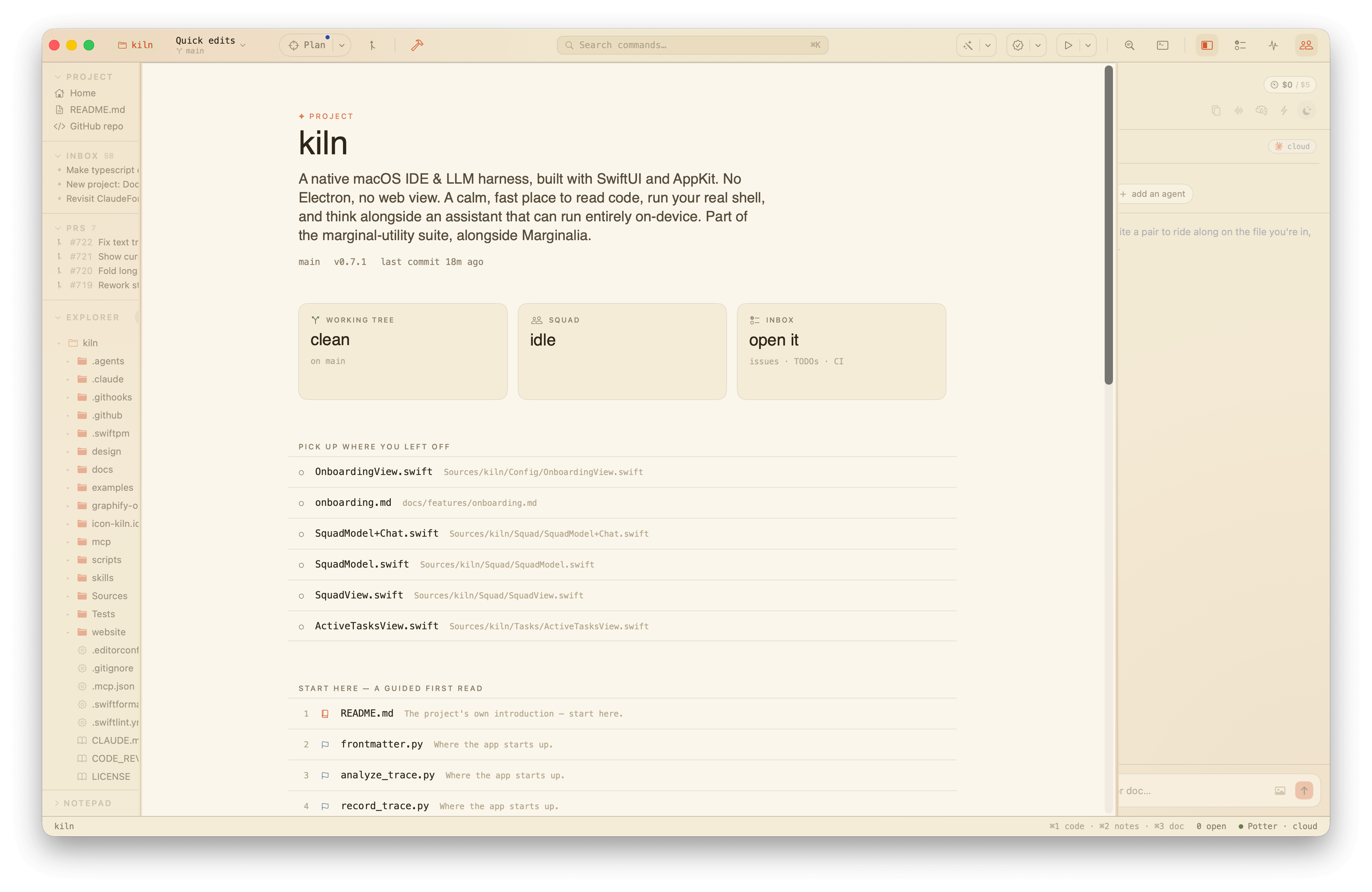
The project front page (⌘⇧H) is the reading-environment answer to a dashboard: prose first, chrome second, but every panel is live and clickable. It opens with the project's name and the first real sentence of its README, then threads together where you've been, how to find your feet, and what's changed lately.
What's on it
The status board. Three live cards — working tree, squad, inbox — each a one-glance value and a click straight onto its full surface. Clean or dirty, idle or mid-run, this is the "what's going on right now" line.
Pick up where you left off. The working tree's recently touched files, uncommitted ones marked and listed first, drawn from git so a checkout doesn't scramble the order the way raw mtimes would. One click back into the editor.
Start here — a guided first read. The spine of the codebase in the order worth reading it: the README, then the entry points, then the load-bearing files. Each stop says in one line why it's on the path, and opens the file. This is the answer to landing in a cold repo you know nothing about.
The lay of the land. A narrated table of contents — one row per top-level area, a one-line read of what lives there ("The code itself — mostly Swift.", "The test suite.", "Documentation."), and a count and age trailer. Opens the area's most recently touched file.
Lately. The last handful of commits as a thread, fresh work wearing the assistant's ✦ spark and a conversational stamp ("today, 19:42", "yesterday", "3d ago").
A project with no commits and a clean tree gets none of the threads — just a line that says the page is blank and it's over to you.